
REDLINE BUDDY FOR MAC

Redlines forEveryone

Run clean redlines without expensive comparison software or clicking through Microsoft Word menus.

Compare drafts directly in Redline Buddy, or create a traditional tracked-changes redline in Microsoft Word.

For macOS. Free for 14 days. No credit card to start.

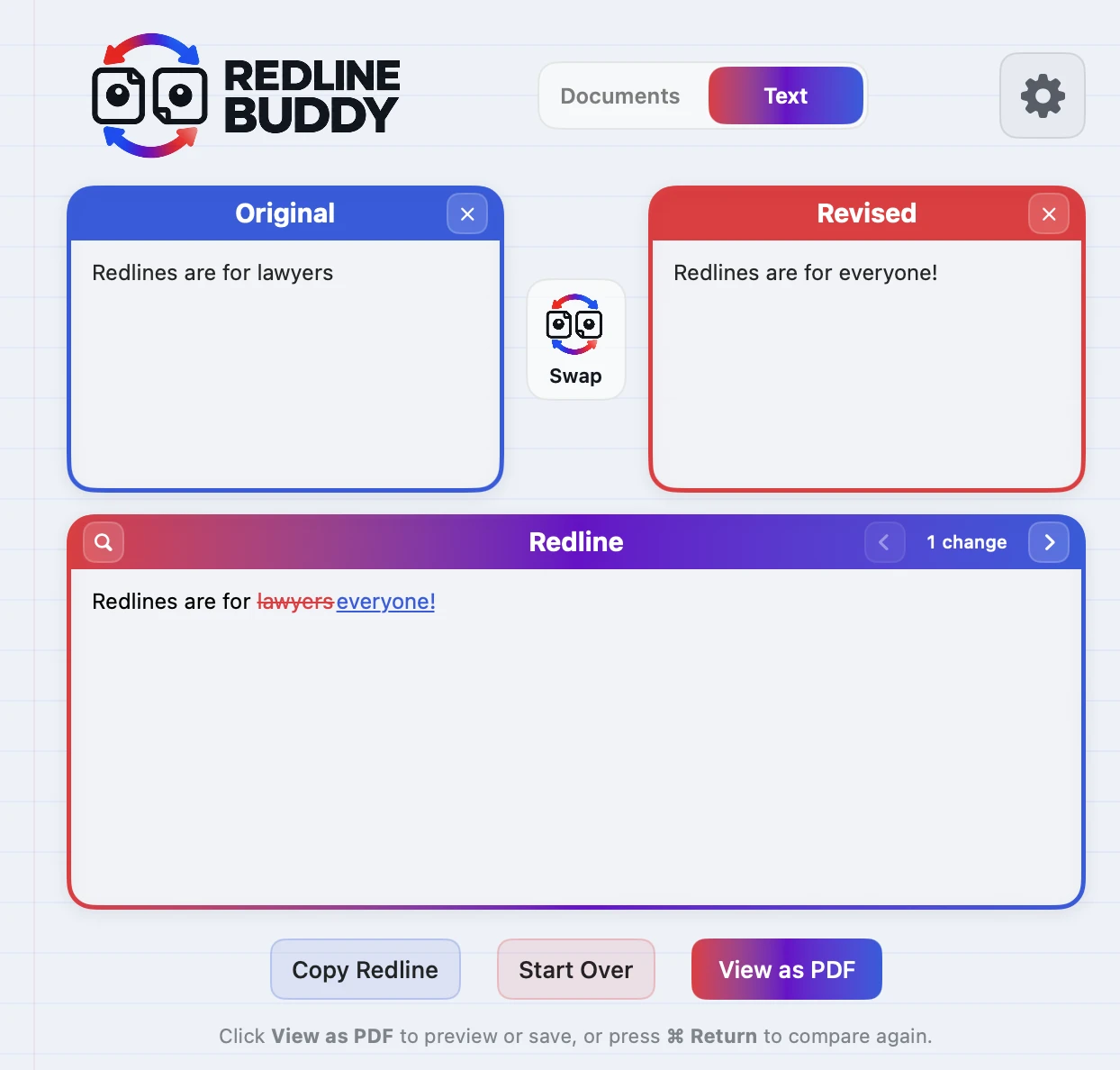
Redline Buddy for Mac showing a redline: 'lawyers' struck through in red and 'everyone!' underlined in blue.

Two ways to redline.

Drop in two drafts, pick how you want to see the changes, and click Run Redline.

Buddy Redline

Compare two drafts directly inside Redline Buddy. See every change instantly, navigate and search the redline, copy the result, or export a clean PDF.

  • Redline Buddy's own comparison engine, no Word required
  • Jump from change to change and search the redline
  • Detects text that moved, not just what was added or cut
  • Copy the redline or export a clean PDF
Track Changes in Word

Need a traditional Word redline? Redline Buddy handles the comparison workflow and opens the result in Microsoft Word with tracked changes.

  • A real tracked-changes document you can send back
  • No digging through Word's comparison menus
  • Uses Microsoft Word's own compare, run for you

Requires Microsoft Word for Mac.

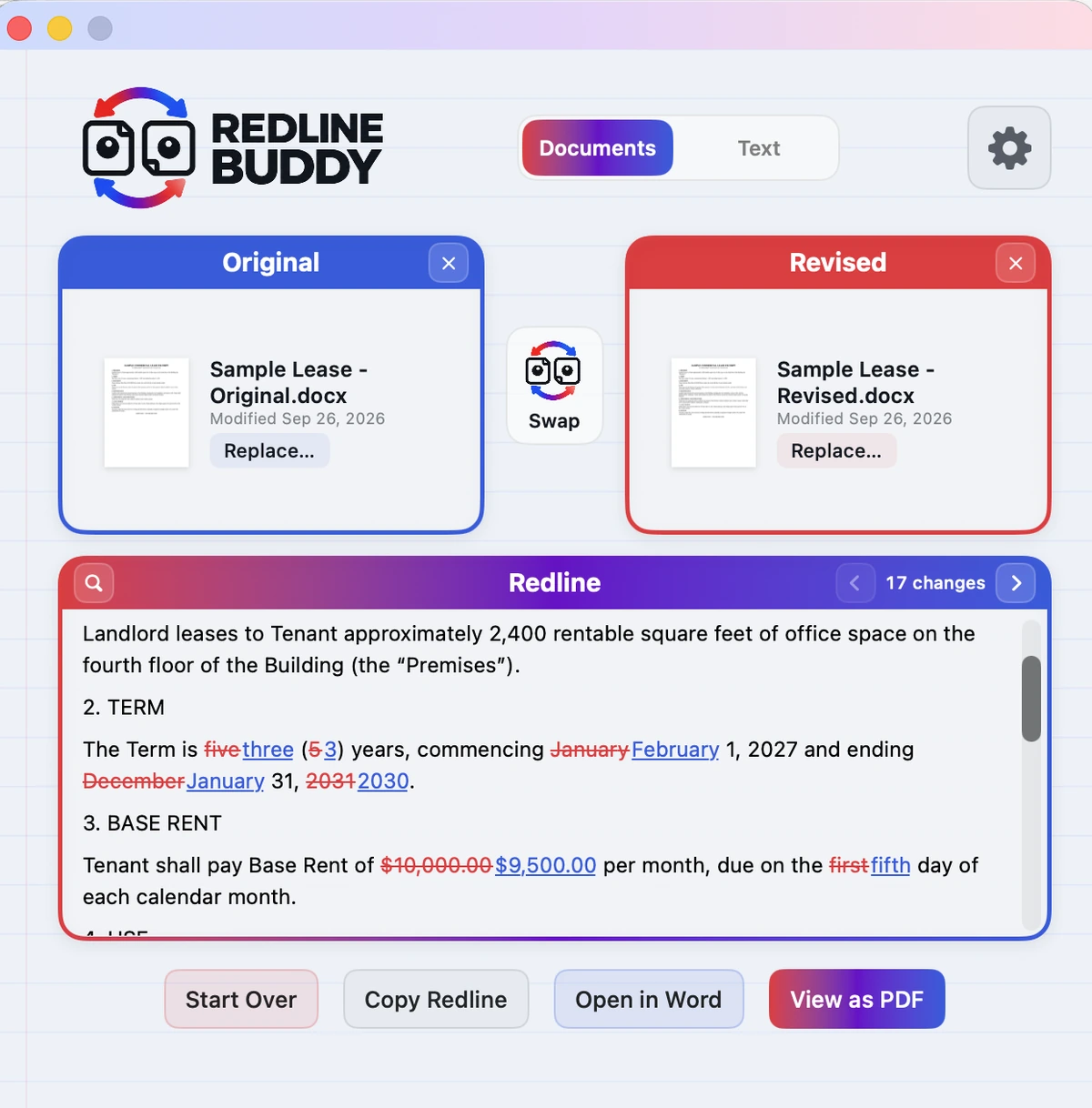
Redline Buddy for Mac in Documents mode with Buddy Redline selected.

Just need to compare some text?

Paste two versions and get a clean redline instantly. Free, no install required, and your comparison text stays in your browser.

Try Free Text Compare

Up to 1,000 words per version.

Redlines for anyone who works with drafts.

Contracts, proposals, policies, emails—if versions are going back and forth, Redline Buddy makes the changes easy to see.

Lawyers

Contracts, leases, amendments, and negotiated drafts.

Brokers & real estate pros

LOIs, proposals, agreements, and deal documents.

Business teams

Policies, proposals, agreements, and shared drafts.

Everyone else

Emails, clauses, terms, applications, or anything with two versions.

Simple pricing.

Every plan includes every feature in the Mac app.

Monthly
$2.99
per month
Choose Monthly
Annual Best value
$19.99
per year
Choose Annual
Lifetime
$59.99
one time
Choose Lifetime

For macOS. Free for 14 days. No credit card to start.

FAQs

Do I need Microsoft Word?

No. Buddy Redline is Redline Buddy's own comparison engine and works on its own. You only need Microsoft Word for Mac if you want to use Track Changes in Word.

Are my documents uploaded anywhere?

No. In the Mac app, the files you compare stay on your Mac.

In Free Text Compare, your text is processed in your browser and is not uploaded to Redline Buddy.

How does the free trial work?

Download the app and use every feature free for 14 days, with no credit card to start. To keep using it afterward, choose a plan.

Can I cancel?

Yes. Monthly and annual plans can be canceled anytime, and you keep access through the end of the period you paid for.

What's the difference between Free Text Compare and the Mac app?

Free Text Compare compares pasted text, up to 1,000 words per version, with a basic red and blue redline and change count. It doesn't detect moved text, search the redline, or jump change-by-change, and its results carry Redline Buddy attribution.

Redline Buddy for Mac compares documents and longer drafts, lets you search and jump through changes, detects moved text, creates watermark-free results and PDFs, works from Finder, generates tracked changes in Word, and includes the full Redline Buddy feature set.